
What Is Chatmatic?
The inbox and screen layout that bring WhatsApp, Instagram, Facebook, email, and web chat together on one screen.
What is this section for?
Chatmatic is the chat application that brings all the channels you use to talk with customers onto a single screen. WhatsApp, Facebook Pages, Instagram, Gmail, SMTP email, and the chat box on your website all live in the same place. You do not need to open separate apps to switch between channels.
Path: Left menu → Chat Channels (opens in a new tab)
How is the screen laid out?
Chatmatic has three sections:
| Section | Location | What it shows |
|---|---|---|
| Conversation list | Left | Your conversations, newest message on top |
| Messaging area | Middle | The history of the selected conversation and the reply box |
| Contact Card | Right | The details of the person you are chatting with and action buttons |
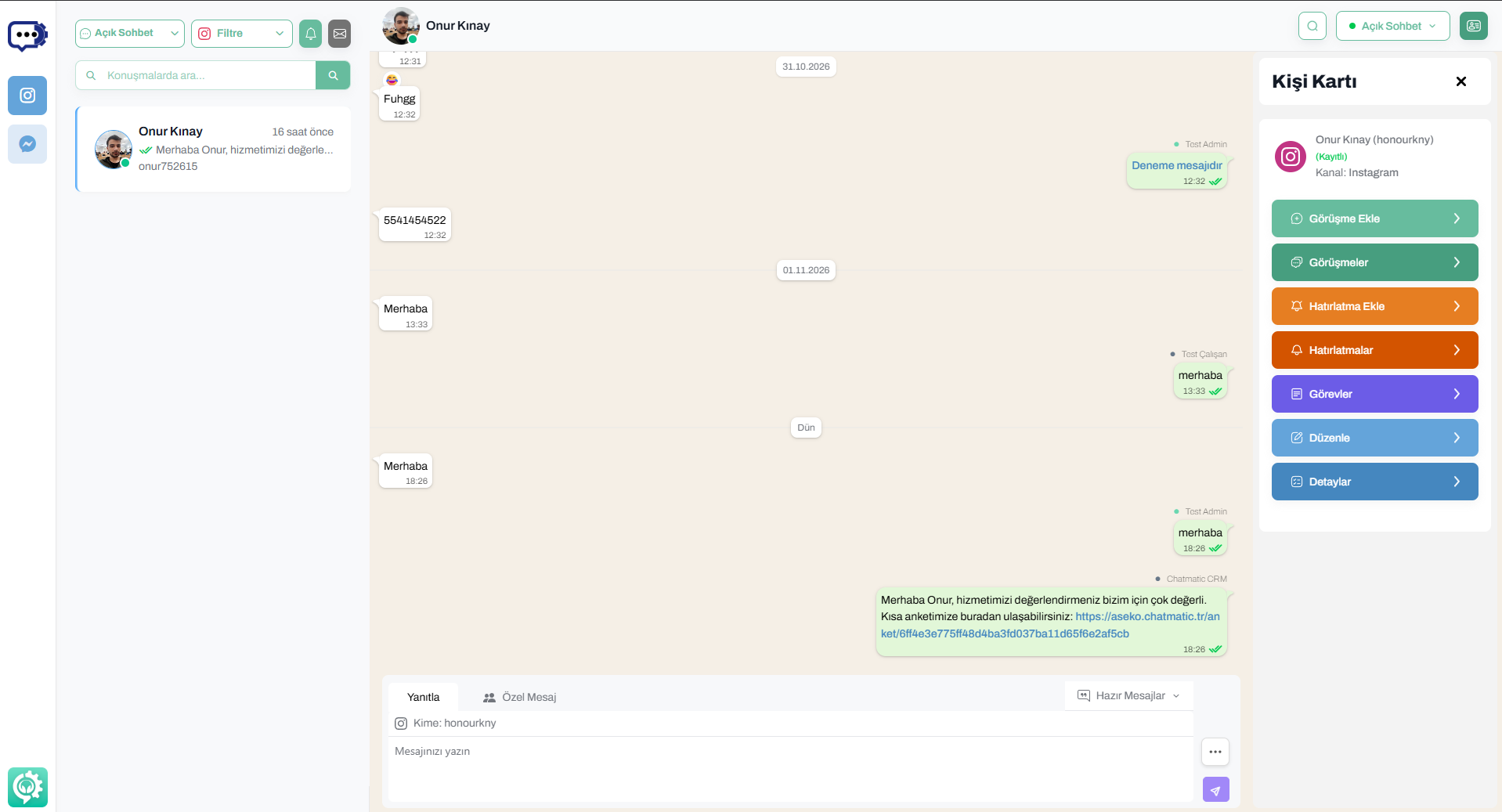 Chatmatic screen: list, messages, and contact card
Channels
The following channels appear in Chatmatic once connected:
- Instagram (messages and comments)
- Facebook (page messages and comments)
- Gmail and SMTP email
- Web Chat (the chat box on your website)
For the steps to connect a channel, see the All Integrations page.
If the menu says “No connected account,” no channel has been connected yet. Connect a channel first.
Why is the Contact Card important?
Knowing who wrote the message is the first step to giving the right answer. The Contact Card introduces that person on the right side of the conversation:
- Is this a registered customer or someone new?
- Which channel are they writing from? Which other channels have they written from?
- Has a conversation log, reminder, or task been opened for them before?
Without leaving the conversation, you can register a new contact and add conversation logs and tasks.
For details: Contact Card
Next steps
- Contact Card: the card’s sections and buttons
- Saving a New Contact: if you are chatting with someone unrecognized
- Actions from the Contact Card: conversation log, reminder, and task
- Web Chat Visitor Information: getting to know the visitor on your site